A fan wants your new release. A couple wants to see your photography. A customer wants the menu and directions. A good link-in-bio page gives each of them a clear place to begin.
Use these Yoyo starters to find a structure that suits your work, then follow the link beneath a preview to start with that exact page. Each is a complete, customizable package of design, layout, and example content—not just a visual theme. The people and businesses are demonstrations, with sample media and placeholder destinations.
Musicians and DJs: help people listen, then connect
For an artist promoting a release, put the current music near the top. Follow it with context that helps a new listener become a returning fan: a video, an upcoming date, or an email signup with a clear promise.
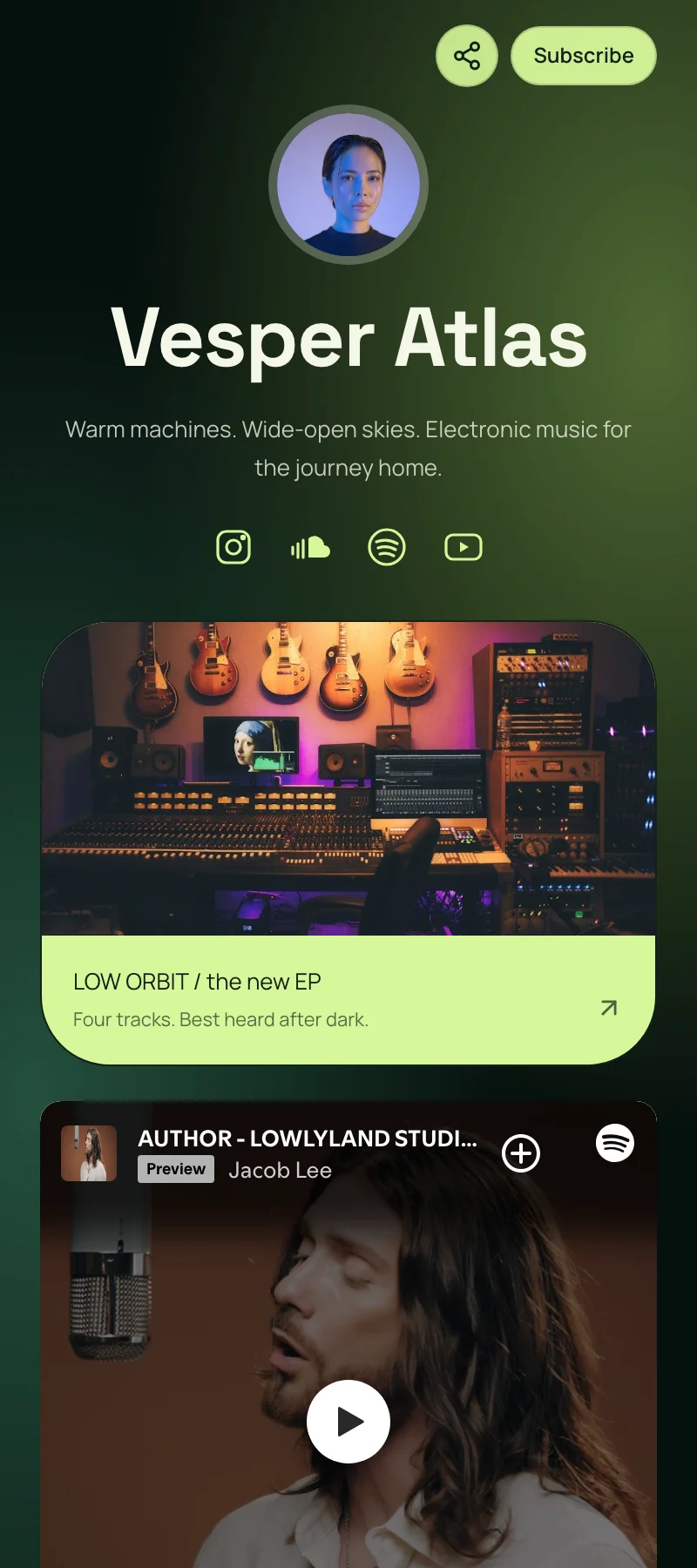
Vesper Atlas, an electronic-artist starter, pairs a featured EP link with a Spotify sample player, release countdown, scheduled release content, fan signup, and booking inquiry form. The structure separates the immediate “listen” action from longer-term ways to stay connected.
Why this layout works
For a DJ, the balance may be different. NIKO / AFTERHOURS uses a SoundCloud sample player, a mix collection, event information, and a booking form. A promoter can explore the sound and find the inquiry route without searching through unrelated posts.
Vesper gives a new listener one release to start with before asking them to join a list. Niko serves two audiences: fans can explore the mixes, while a promoter can find booking details. Keep those paths distinct if you perform as well as release music.
Try this page order
- Your current release, mix, or event.
- A Spotify or SoundCloud player with your own recording.
- A collection of other releases or sets.
- Fan signup and a clearly labeled booking inquiry.
Use a current recording near the top, and retire a pre-save button once the release is out. Sample recordings belong to their credited creators; replace them with your own URLs. Explore the musician and DJ collection, including NIKO / AFTERHOURS.
Photographers and designers: let the work answer first
Someone considering a photographer or designer usually needs evidence of the work before they are ready to inquire. Show a coherent selection and make the next step easy to understand.
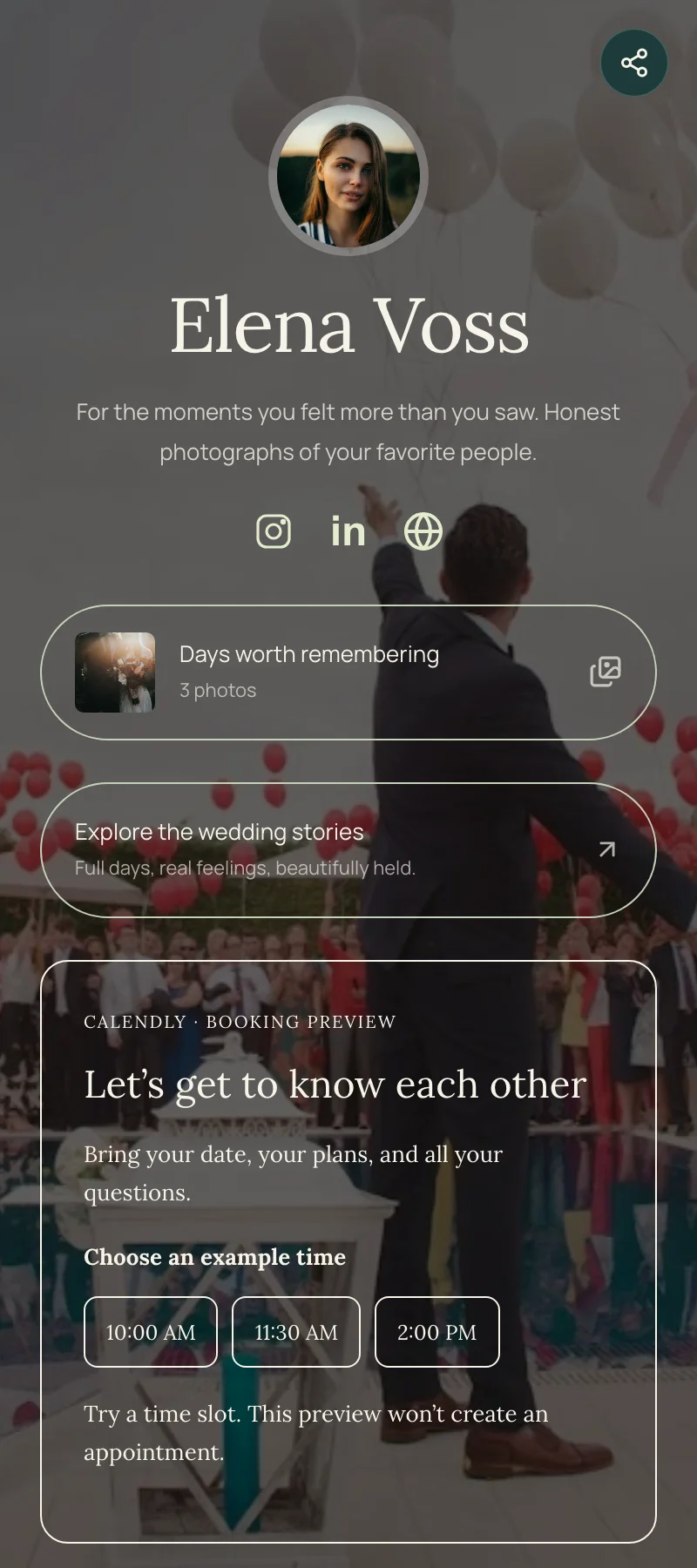
Elena Voss, a wedding-and-portrait starter, combines a photo carousel, a wedding-stories link, a consultation booking block, and an availability inquiry. The images communicate the style; the contact options explain how to start a conversation.
Why this layout works
For a design practice, Form & Field separates “Selected work” from “Work with us” with tabs. That can be useful when you want room for project collections without burying the inquiry route in a long list.
The carousel lets someone judge Elena’s style before choosing between a conversation and an availability inquiry. Form & Field uses tabs for a different need: a fuller portfolio can have its own space while the working relationship stays easy to find.
Try this page order
- Your specialty and location in the profile.
- A gallery of three to six related images.
- Selected projects or a link to complete stories.
- One clear inquiry or consultation route.
Choose images that belong together and explain what someone is looking at. Link a project to its case study, and label the inquiry for the work you want to receive. Browse photography and design starters, or start with Form & Field’s portfolio structure.
Small businesses: answer the practical questions
For a local business, useful information often matters more than a long introduction. What do you offer? Where are you? When are you open? How can someone book, order, or ask a question?
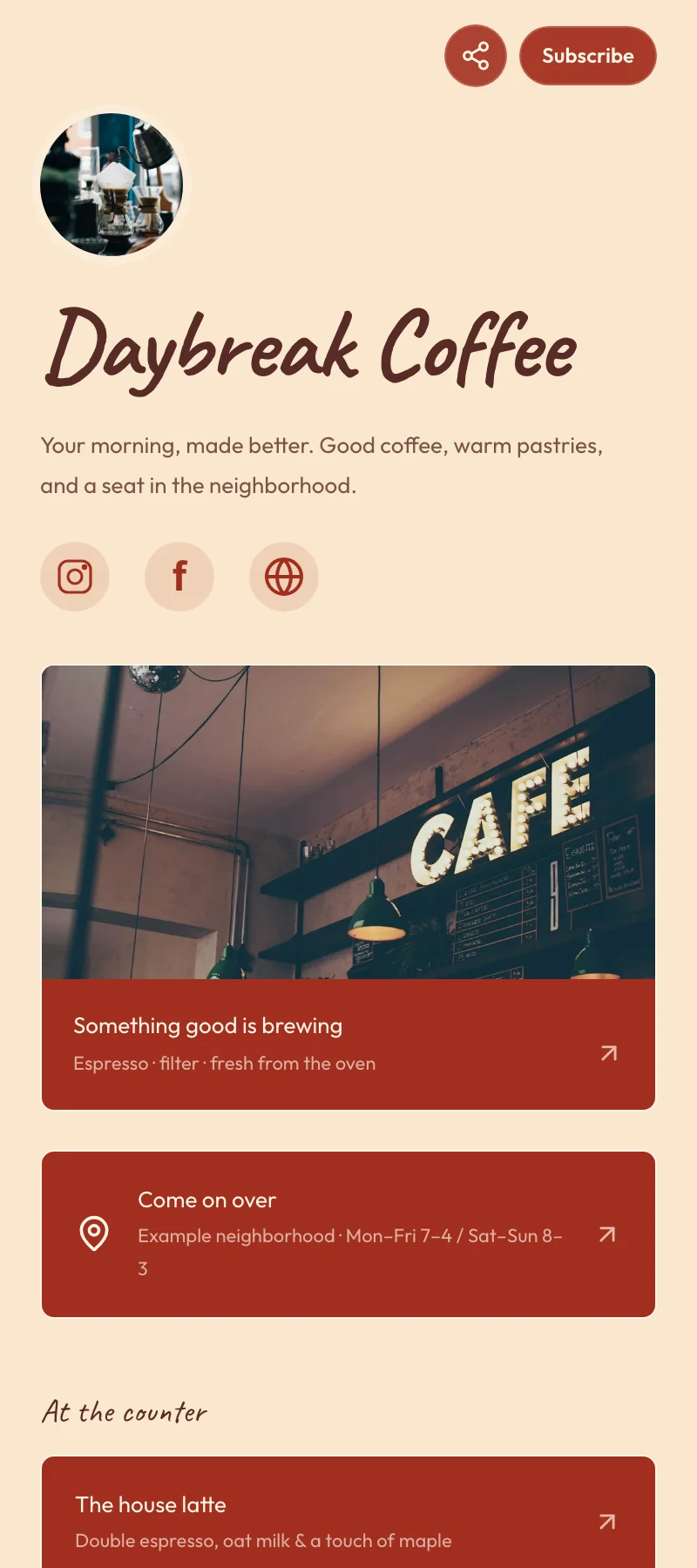
Daybreak Coffee brings a menu link, location and example hours, featured items, email signup, and catering inquiry together. The page gives a new customer several sensible paths without treating every destination as equally urgent.
Why this layout works
The menu and location answer immediate questions. Featured items add a reason to visit, while the catering inquiry serves someone planning a larger order. A first-time visitor does not have to read the whole page to find a useful action.
For an appointment business, Sunday Studio changes the emphasis: appointment and service links come before directions and a question form. Rooted Garden Care uses service information, consultation booking, a service-area map, and a quote inquiry.
Try this page order
- Your main action: menu, appointment, or quote.
- Services or featured products with useful labels.
- Hours, directions, or the area you serve.
- An inquiry form or customer signup.
Use “View the menu” or “Request a garden visit” rather than “More.” Keep hours and availability current. Explore small-business starters; the coaching and beauty-and-style collections offer other service-focused starting points.
Creators and influencers: feature the work, then the archive
A creator’s page may need to serve both regular viewers and people discovering the work for the first time. Feature a recent piece, then offer a route into the archive and a way to keep in touch.
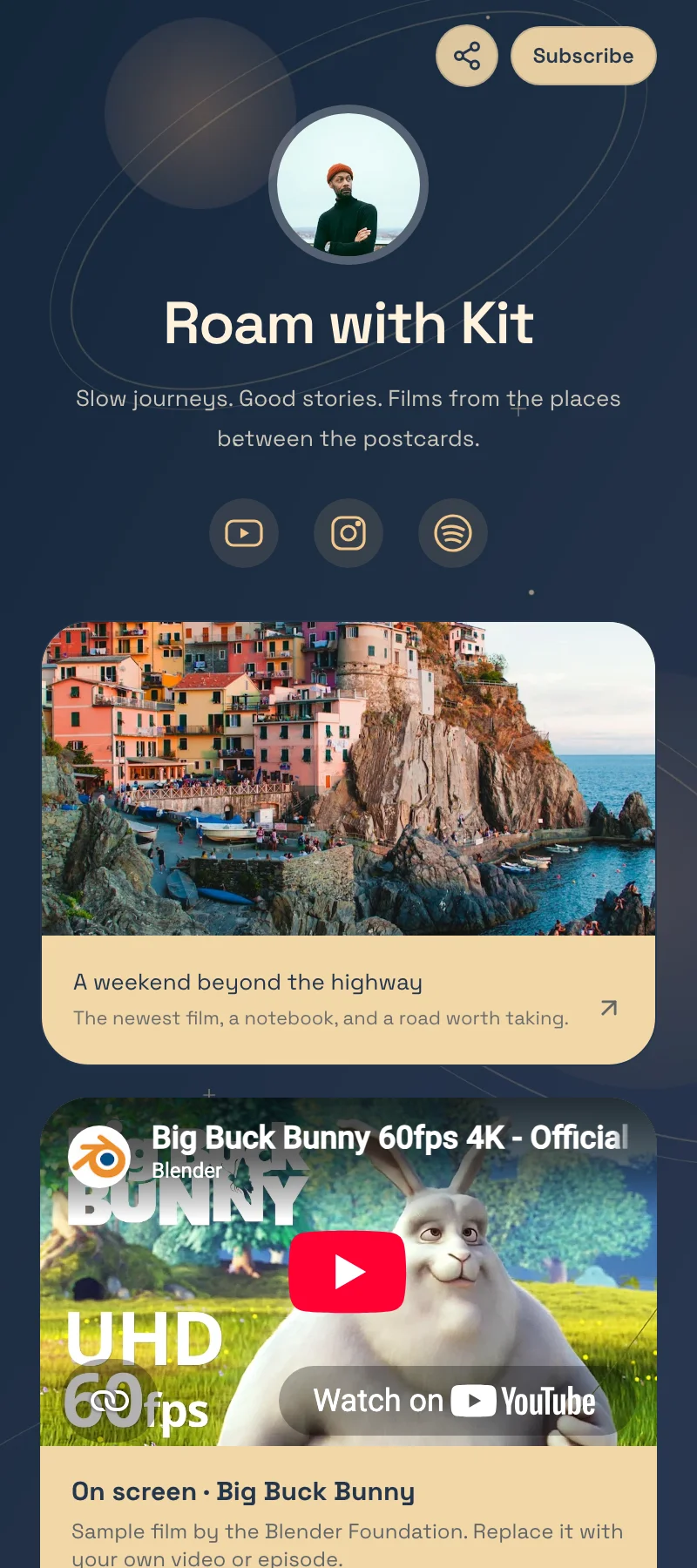
Roam with Kit, a travel-filmmaker starter, includes a featured film link, a sample YouTube video, film and gear destinations, an audience signup, and a brand-partnership inquiry. It keeps the viewer’s journey visible while giving potential collaborators a separate contact route.
Why this layout works
Open Question, a podcast starter, uses a featured conversation, episode collection, sample video, season countdown, and guest or sponsor inquiry. A new listener can start with one episode rather than facing an undifferentiated archive.
A featured film or conversation answers “Where should I start?” The archive gives a returning viewer somewhere to go next. A separate partnership or sponsor inquiry keeps business requests from competing with the main viewing path.
Try this page order
- A featured film, episode, or current project.
- A supported video or music embed.
- An episode, film, or resource collection.
- Audience signup and a separate collaboration route.
If you share products or resources, explain why each link is relevant and include commercial disclosures where they apply. Browse the creator, YouTuber, and podcaster collection for other layouts.
Make the starter yours, then publish
A starter includes the design, structure, and sample content shown in its preview. A theme changes the design of an existing page while keeping its content. Choose a starter when you want that complete head start; choose a theme when you want a new look for a page you have already built.
Claiming these complete starters requires Starter or Pro. Eligible accounts get seven days free; paid trials require a card. Review the selected monthly price and cancellation terms before starting.
- Use “Start with…” beneath the example you like, or browse its profession’s collection.
- Follow the signup or sign-in and plan steps to claim the page.
- Replace sample names, photos, links, dates, social profiles, and form details. Check media, booking destinations, and privacy wording.
- Publish, open the public address on a phone, and follow its main action from beginning to end.
Already have content on another public page? The Linktree switching guide explains how to bring supported content into a free Makeover preview. For a page from scratch, follow the creation tutorial.